How to track recurring expenses in Telegram
Set rent, salary, subscriptions or any regular amount to log itself on a schedule. Tabby posts them automatically so your totals are never stale.
Option 1: Use /recurring in the chat
Type /recurring in your Telegram chat with Tabby to create a new recurring entry from scratch. Set the amount, category, frequency (daily, weekly, monthly, etc.), and start date.
Option 2: Make an existing transaction recurring
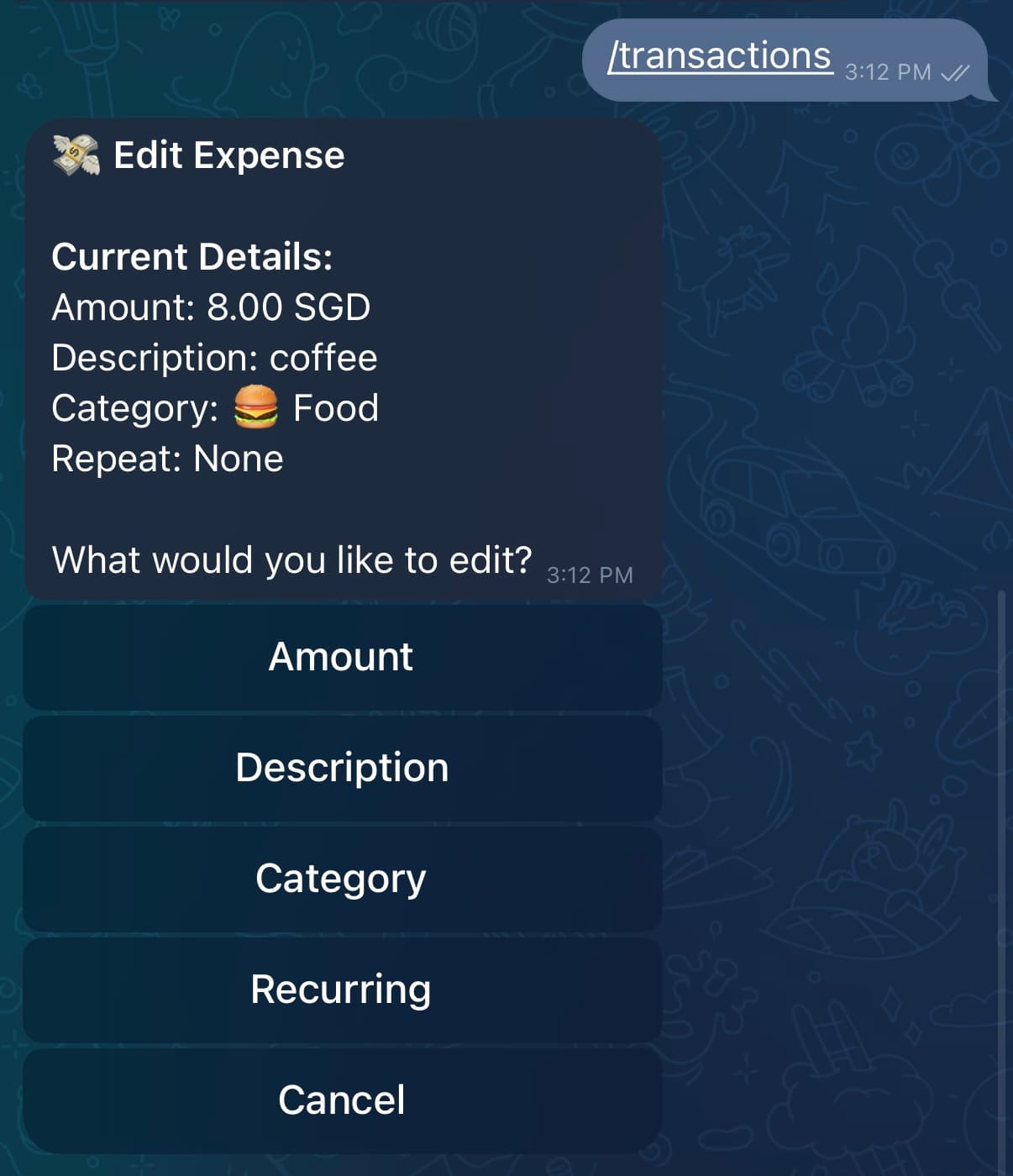
Type /transactions to browse your entries, tap any transaction, and select the recurring option. Tabby will use the same amount, category, and account.
Option 3: Use the Tabby mini app
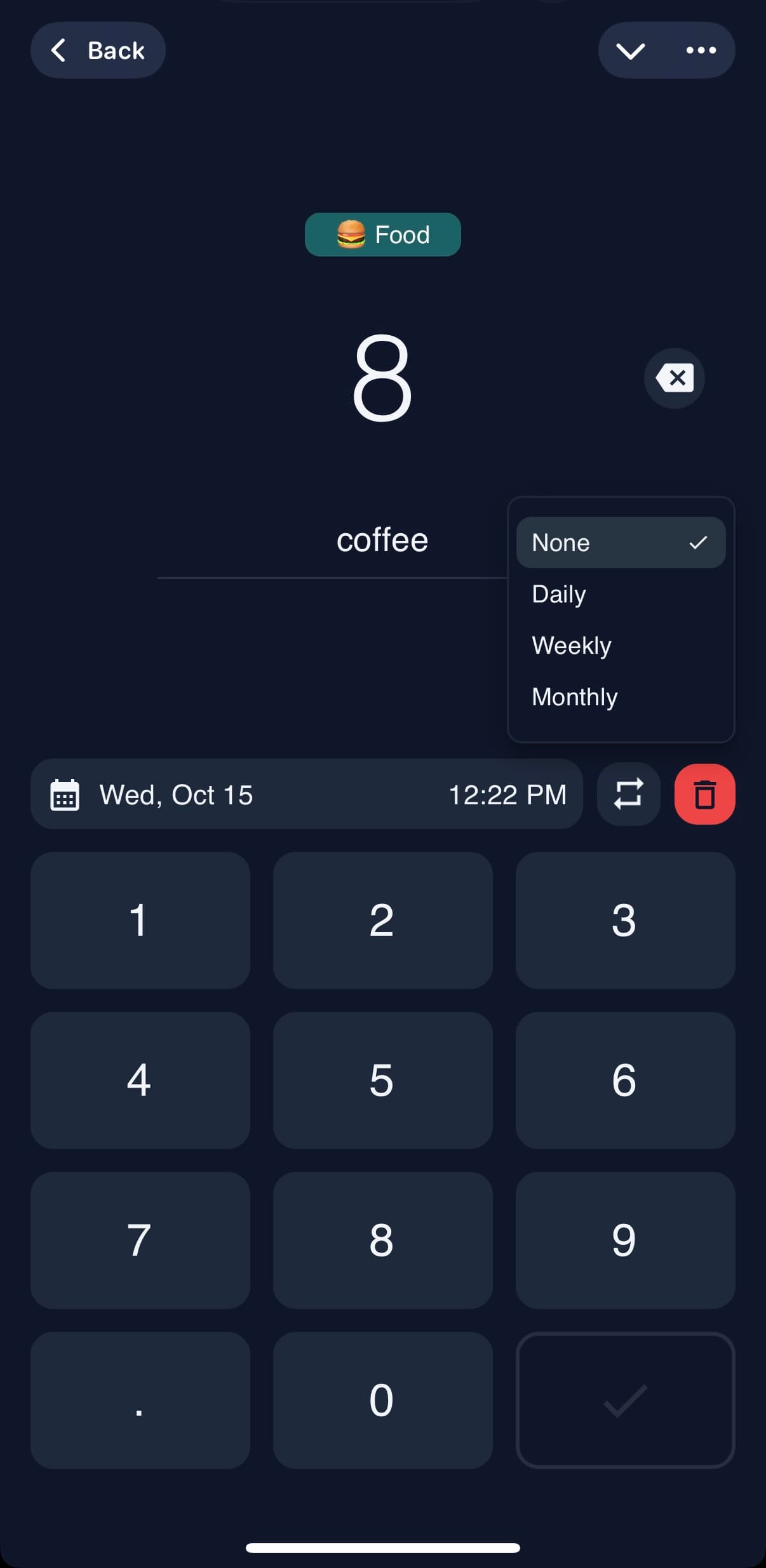
In the Tabby mini app, navigate to the Entries tab. Find the transaction you want to make recurring and tap the recurring icon.
Manage your recurring entries
Tabby auto-logs each recurring entry at the scheduled time based on your timezone. You can view, edit, pause, or stop any recurring entry anytime by using /recurring again.
Recurring transactions are a Pro feature. Great for rent, utilities, salary, gym memberships, and anything that repeats on a fixed schedule.
Ready to try it yourself?
Tabby lives in your Telegram chat — nothing to install.